.svg)
MacMD Viewer is a native macOS application for reading Markdown files. Built with SwiftUI, it renders Markdown as a read-only document and pairs with whatever editor you already use to write it. Like Marked 2, it deliberately leaves editing to other applications; the difference is where the rendering happens.
The Quick Look extension is the part most people notice first. Select a .md file in Finder, press the spacebar, and the document renders in place without launching the application at all. That matters when a folder fills up with generated files — READMEs, plans, notes produced by an AI assistant — and you need to know which one is worth opening before you open anything.
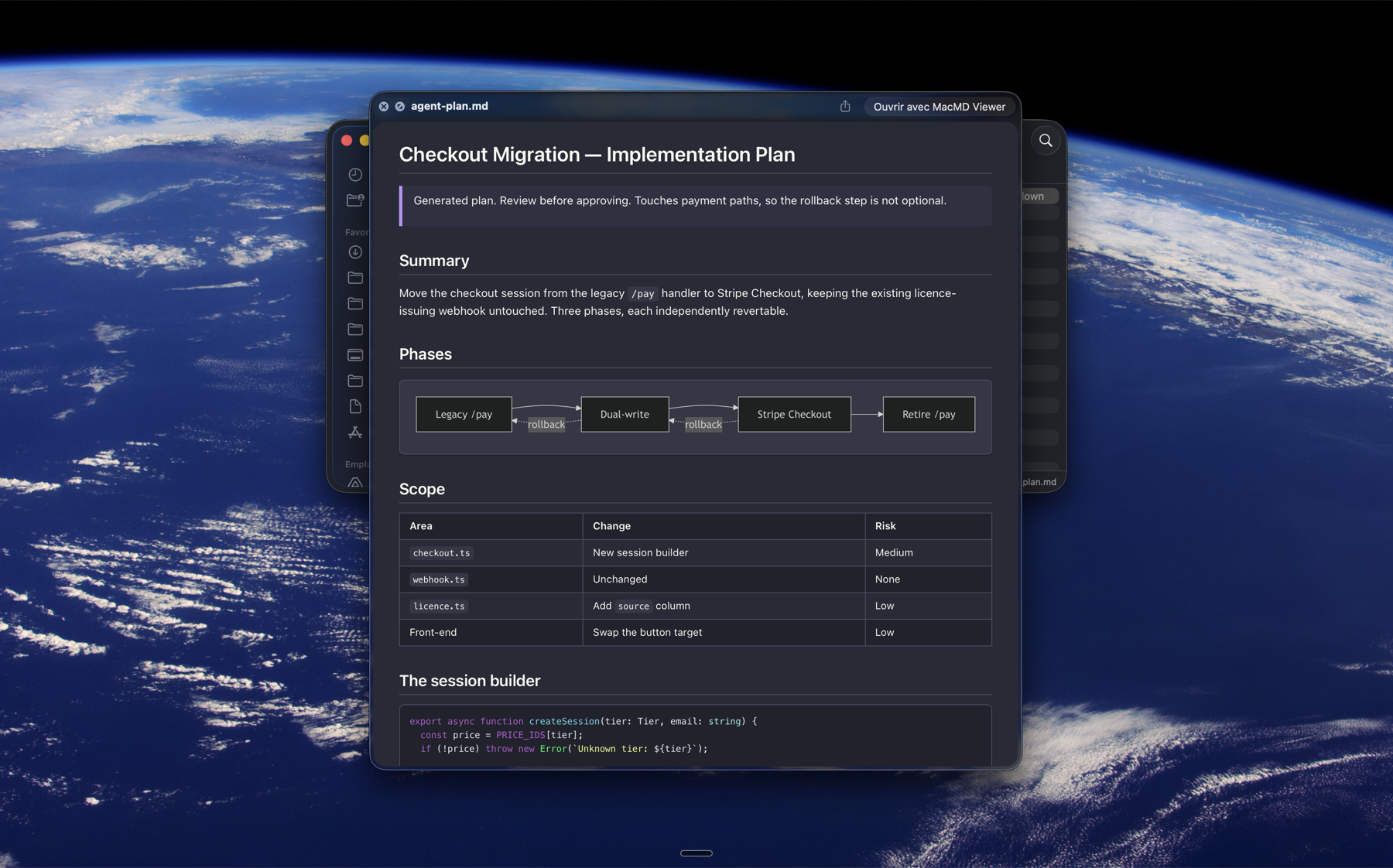
Inside the application, MacMD Viewer renders Mermaid diagrams, highlights fenced code blocks, and watches the open file so the preview reloads whenever it changes on disk. A sidebar lists the document’s headings and tracks your position as you scroll. Twelve document themes ship with the app, and the Quick Look preview uses the same theme as the main window.
MacMD Viewer is available as a one-time purchase. It is signed with a Developer ID and notarized by Apple.
MacMD Viewer provides support for the following Markdown elements.
| Element | Support | Notes |
|---|---|---|
| Headings | Yes | |
| Paragraphs | Yes | |
| Line Breaks | Yes | |
| Bold | Yes | |
| Italic | Yes | |
| Blockquotes | Yes | |
| Ordered Lists | Yes | |
| Unordered Lists | Yes | |
| Code | Yes | |
| Horizontal Rules | Yes | |
| Links | Yes | |
| Images | Yes | |
| Tables | Yes | |
| Fenced Code Blocks | Yes | |
| Syntax Highlighting | Yes | |
| Footnotes | No | |
| Heading IDs | Yes | Generated automatically from the heading text, and settable explicitly with a trailing {#custom-id} or a standalone {#custom-id} anchor.
|
| Definition Lists | No | |
| Strikethrough | Yes | |
| Task Lists | Yes | |
| Emoji (copy and paste) | Yes | |
| Emoji (shortcodes) | No | |
| Highlight | No | |
| Subscript | No | |
| Superscript | No | |
| Automatic URL Linking | Yes | |
| Disabling Automatic URL Linking | No | |
| HTML | Yes |
Learn Markdown in 60 pages. Designed for both novices and experts, The Markdown Guide book is a comprehensive reference that has everything you need to get started and master Markdown syntax.
Get the BookDon't stop now! 🚀 Star the GitHub repository and then enter your email address below to receive new Markdown tutorials via email. No spam!